Evidence-based guide
Personal Life Dashboard: What to Track and How to Build It
Build a calm personal dashboard for habits, wellness, spending, notes, and memories with a four-layer framework and free starting templates.
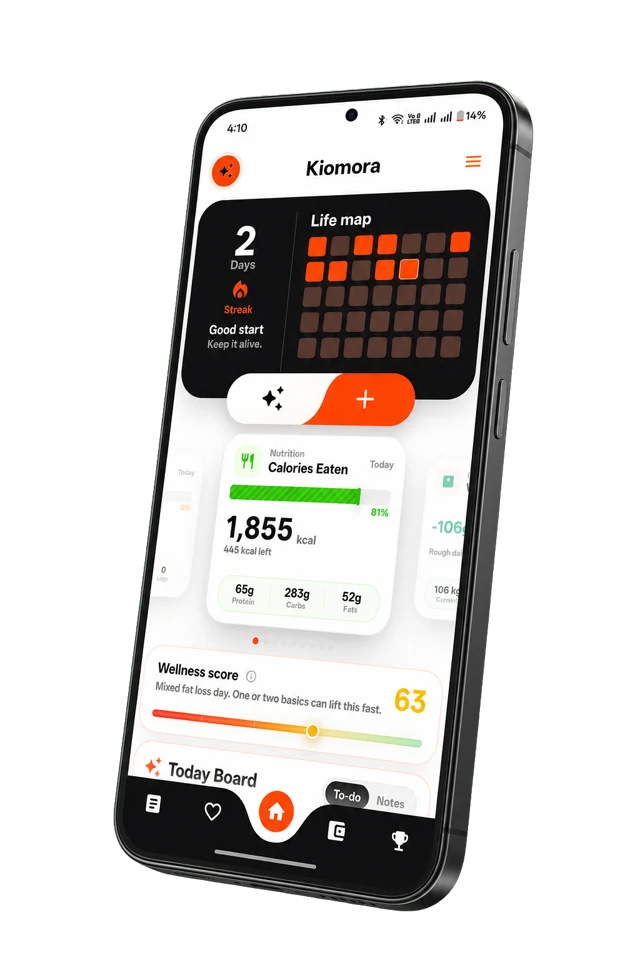
Kiomora for a calmer dashboard
Review life, not widgets
Begin with the daily context that supports a real question, then revisit it through focused views and reports.
Explore KiomoraA personal life dashboard promises one clear view of habits, health-conscious routines, spending, goals, and reflection. Done well, it reduces fragmentation. Done badly, it becomes another complicated project that looks impressive and quietly stops receiving data.
A dashboard needs a question
Do not begin with widgets. Begin with the decision or reflection the dashboard should support. “How am I doing?” is too broad. Better questions include:
- Which routines remained consistent this month?
- What happened on my highest-energy days?
- Where did discretionary spending change?
- Which days do I actually want to remember?
Each question implies a small set of data and a specific review rhythm.
Use four simple layers
1. Today
Show only actions and signals relevant now: current habits, recent water, an expense shortcut, a daily note, or whatever the present goal requires.
2. Timeline
Keep events, notes, and structured logs attached to time. A timeline preserves the order and context that separate category totals lose.
3. Review
Use weekly and monthly views for counts, trends, memorable moments, and missing data. Label partial data honestly rather than presenting an incomplete month as certainty.
4. Retrieval
Search and question answering should lead back to the underlying record. A summary is more trustworthy when a person can see which saved entries support it.
Worked example: a focus dashboard
Suppose the question is: "What was happening on my best-focus workdays this month?" The dashboard does not need every available metric. It needs a small record that can support that review.
| Layer | What appears | Why it is there |
|---|---|---|
| Today | focus block, sleep duration, energy check-in | the three fields needed for today's capture |
| Timeline | work deadline, late meeting, exercise, short note | events that preserve the context behind a score |
| Review | five highest-focus days beside their source notes | comparison without claiming one factor caused the result |
| Next action | protect one morning focus block next week | turn the review into one testable decision |
Annotation: caffeine, steps, spending, and mood stay off this dashboard unless the first review shows a reason to add one of them. The dashboard remains useful because every field earns its place.
Avoid common dashboard traps
- Too many metrics: more inputs create more maintenance, not automatically more understanding.
- Score obsession: one life score can hide tradeoffs and imply false precision.
- Charts without context: connect a trend to notes and events from the same period.
- Permanent setup mode: limit customization time and test the actual daily workflow.
- Medical certainty: a wellness dashboard can report logs, not diagnose their meaning.
Template, Notion, spreadsheet, or app?
A spreadsheet is strong for custom calculations. Notion is strong for flexible databases and linked pages. A paper template can be calming and portable. A purpose-built life tracker reduces setup and can make mobile capture, reports, and retrieval more immediate.
The right choice depends on which friction you prefer: building and maintaining the system yourself, or accepting the opinionated structure of an app. Our guide to Notion for habit tracking explores that tradeoff. The Kiomora AI life tracker page shows the purpose-built route from natural capture to reviewable daily context.
Build your first dashboard in 15 minutes
- Write one question for the next four weeks.
- Choose no more than five fields.
- Decide how each field will be captured on mobile.
- Add one free-text memory or context field.
- Schedule a ten-minute weekly review.
- Delete one field after the first week.
Start with the free daily life tracker template, then use the weekly life review template to test whether the dashboard returns anything useful.
Common questions
Practical answers before you begin
- What should a personal life dashboard include?
- Include today’s relevant signals, a short timeline, progress toward current goals, and a review view. Leave out metrics that do not support a present question.
- Is Notion good for a personal dashboard?
- Notion is flexible and can work well for people who enjoy building systems. A purpose-built tracker may fit better when mobile capture speed, automatic views, and low maintenance matter more than customization.
- How many metrics should I track?
- Start with three to five fields across one or two goals. Expand only after a weekly review demonstrates a specific missing signal.
- Can I build a personal dashboard for free?
- Yes. Begin with a paper template or spreadsheet and one weekly review question. A free template is enough to test whether the dashboard changes a decision before you build a larger system.
Don't forget to try Kiomora
See more thanone detail
Keep the useful parts of each day in one record you can return to.
Explore Kiomora