Evidence-based guide
How to Track Everything in One App Without Overdoing It
A practical system for combining habits, sleep, food, mood, expenses, notes, and memories without turning life tracking into a second job.
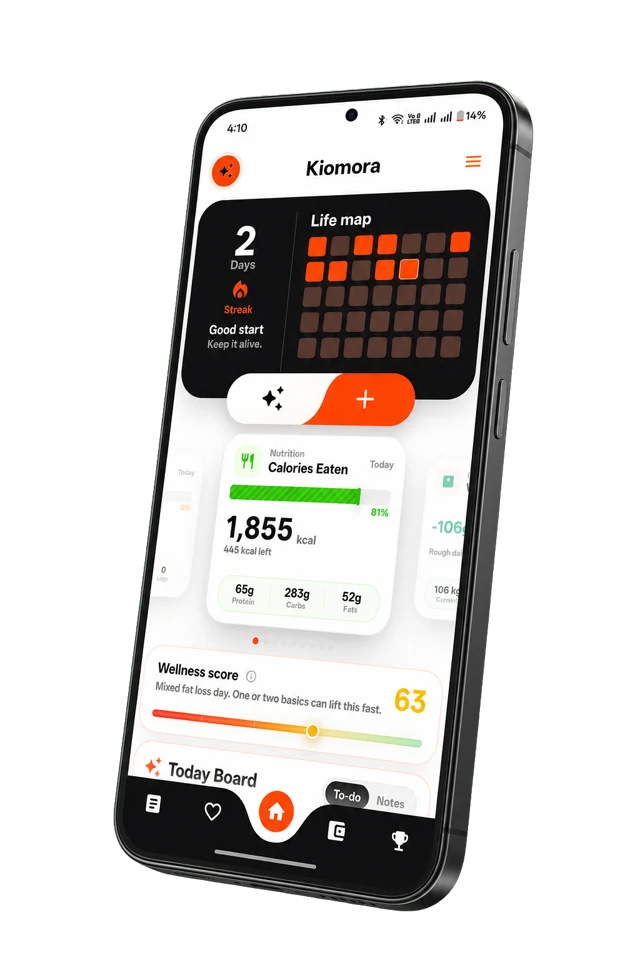
Kiomora for daily context
Your life, connected
Keep habits, wellness, spending, notes, and memories together so the details stay useful later.
Explore KiomoraPeople searching for an app to “track everything” usually do not want a database of every breath and button press. They want to stop opening one app for food, another for sleep, a spreadsheet for expenses, and a notes app for the parts of the day that do not fit anywhere else.
The real goal is connected context: enough information to see what happened on the same day and remember why it mattered.
Why separate trackers stop helping
Specialist apps can be excellent within one domain. The problem appears during review. A sleep graph does not know that you travelled. A spending chart does not remember that an unusual purchase was for a family event. A mood score cannot explain the conversation that shaped the day.
Current discussions among self-trackers repeatedly describe the same ceiling: logging is easy, but the numbers sit in separate places and never “talk” to one another. The useful opportunity is not another row of data. It is a shared timeline where a number can keep its human context.
Start with the smallest useful record
Choose fields by the questions you expect to ask later. If you want to understand why some workdays feel sustainable, you might record sleep, energy, focused work, and one sentence about the day. If you want a richer memory of the month, a daily moment and the people involved may matter more than another score.
- Pick one outcome: what do you want to remember or understand?
- Add two or three signals: choose details that give the outcome context.
- Use one timeline: keep entries attached to dates and times.
- Review after one week: ask whether each field helped.
- Remove before adding: a field that stays empty is feedback, not failure.
You can build this first version with Kiomora’s free daily life tracker template, then review it with the weekly life review template.
Capture without thinking like a database
Traditional tracking asks you to open the correct category, find the correct form, and enter each fact separately. That structure helps software but creates friction for people. A lower-friction system accepts a natural update first and organizes it second.
“Walked for 35 minutes after lunch, bought groceries for 1,200, energy felt better by evening, and dinner with Maya was the best part of the day.”
That single update contains movement, spending, energy context, food context, and a memory. The important safeguard is review: automatic organization should suggest structure, not silently turn an uncertain interpretation into a fact.
Keep metrics and memories together
A year of perfect scores can still feel empty if the record cannot answer “what happened?” Keep at least one free-text field beside structured tracking. Names, places, decisions, changes, and memorable details create the texture that charts cannot preserve.
This is also why an all-in-one life tracker should remain different from a medical record. It can summarize what you logged and show repeated co-occurrences, but it should not diagnose a condition or claim that one behavior caused another.
Use a weekly review to keep the system honest
Once a week, look for missing context, repeated friction, and fields that never helped. Do not hunt for dramatic correlations. A good review can be as simple as: what happened, what repeated, what surprised me, and what is worth noticing next week.
Try the free weekly life review template if you want a guided version. The best all-in-one system is not the one with the most categories. It is the one that stays small enough to use and connected enough to revisit.
Sources and further reading
- Quantified Self discussion: long-term data that never connects
- Community discussion: metrics without the story of a life
Common questions
Practical answers before you begin
- Is there one app that can track everything?
- Some apps combine several life areas, but no app should record literally everything. Look for the categories you actually revisit, quick capture, correction before saving, a shared timeline, and a clear way to retrieve or export the record.
- What should I track every day?
- Begin with one goal, one context signal, and one moment worth remembering. For example: sleep, energy, and a short daily note. Add another category only when it helps answer a real question.
- How do I avoid getting overwhelmed by tracking?
- Use the smallest useful record, allow intentional blanks, review weekly, and remove fields that never affect a decision or preserve a memory.
Don't forget to try Kiomora
See more thanone detail
Keep the useful parts of each day in one record you can return to.
Explore Kiomora