Evidence-based guide
Best Voice Journal Apps for Android: 6 Different Fits
Compare Android voice journal apps for transcription, AI reflection, structured daily logs, traditional journaling, export, and current public price.
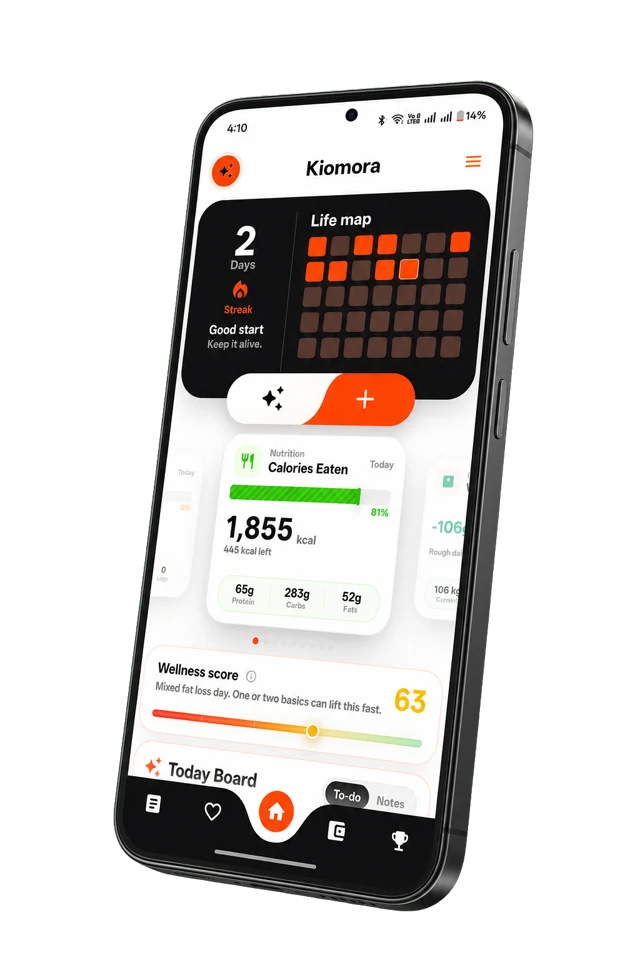
Kiomora for daily context
Your life, connected
Keep habits, wellness, spending, notes, and memories together so the details stay useful later.
Explore KiomoraA voice journal app can save audio, transcribe speech into an entry, or use the transcript to support prompts, search, reports, and structured logs. The best choice depends on which job you need.
How this comparison was made: Product details were checked against the linked official provider documentation on July 28, 2026. This is documentation-backed research, not a claim that the Kiomora team bought and performance-tested every paid plan. See the full comparison methodology.
Quick comparison
| App | Editorial fit | Documented voice approach | Public price checked |
|---|---|---|---|
| Kiomora | Connected daily context | SuperLog voice transcription | $9.99/month or $95.19/year for Plus |
| Day One | Traditional multimedia journal | Paid audio recording and transcription | Free; Silver $49.99/year; Gold $74.99/year |
| Reflection | Guided voice reflection | Voice-to-text and voice-powered Coach | Free; Premium $8/month |
| Rosebud | Conversational AI reflection | Speech-to-text and paid voice features | Free; Bloom $12.99/month or $107.99/year |
| Mindsera | Frameworks and AI analysis | Paid voice and conversational modes | Free; Genius $14.99/month or $129/year |
| Journey | Cross-platform journal archive | Audio attachments | Free and paid options; verify checkout |
1. Kiomora: for voice that becomes daily context
Kiomora's SuperLog accepts a voice update, transcribes it, and suggests reviewable cards across the parts of the day mentioned. You can correct or leave out suggestions before saving. Ask Kiomora and reports work from the saved record.
Choose it when: a spoken entry may include meals, sleep, activity, habits, expenses, notes, and memories, not only journal text. See how voice logging works and current Kiomora pricing.
2. Day One: for a traditional multimedia journal
Day One documents audio recording and transcription in Silver and Gold, broad device support, and PDF, JSON, and plain-text export. Gold adds AI features such as Daily Chat and multi-entry summaries.
Choose it when: a polished multimedia journal archive matters more than multi-category life logging. Verify the current Day One pricing and features guide.
3. Reflection: for guided voice reflection
Reflection documents voice-to-text, a voice-powered Coach, AI-enhanced search and insights, cross-device support, and export. Its focus is guided self-reflection rather than a general daily life database.
Choose it when: follow-up questions are central to the habit. Check Reflection Premium and the official FAQ.
4. Rosebud: for conversational reflection
Rosebud documents speech-to-text, AI-powered reflection, patterns, reports, and export or deletion controls. Some deeper voice and memory functions belong to its paid offer.
Choose it when: you want an ongoing AI reflection conversation. Confirm the current offer on the Rosebud product and pricing page.
5. Mindsera: for frameworks and analysis
Mindsera puts AI voice journaling, conversational prompts, entry analysis, Ask Your Journal, recurring topics, and other analysis in Genius. The free plan includes a minimal journal and export.
Choose it when: thinking frameworks and multiple analysis modes matter most. Check the Mindsera plan comparison.
6. Journey: for broad platform access
Journey documents Android, iOS, Mac, Windows, Linux, and web access, rich media, search, and multiple export formats. Audio can be attached, but the product is not positioned primarily around voice-to-structured-log capture.
Choose it when: desktop and mobile availability is decisive. Read the Journey plan comparison.
Five questions before installing
- Do you need the original recording, transcript, or both?
- Can you correct names, dates, quantities, and mixed-language speech?
- Will you search entries, review reports, or only replay audio?
- Can you export the record in a useful format?
- Does the current privacy policy fit what you plan to say?
Explore the source-linked AI journal app dataset or read the voice vs written journal guide.
Common questions
Practical answers before you begin
- What is the best voice journal app for Android?
- There is no universal winner. Kiomora fits structured daily context, Day One fits traditional multimedia journaling, Reflection and Rosebud fit guided AI conversation, Mindsera fits AI analysis, and Journey fits broad cross-platform access.
- Should a voice journal keep the original audio?
- That depends on your purpose. If tone matters, check whether audio is retained and exportable. If search matters more, check transcript editing and retrieval.
- Are these apps free?
- All six document a free starting option, but voice, AI, sync, media, or export limits differ by product and plan. Open the official source before paying.
Don't forget to try Kiomora
See more thanone detail
Keep the useful parts of each day in one record you can return to.
Explore Kiomora